

In today’s blog post, we will be going over how to create honey folders with no additional tooling.
Cyber Deception allows for the placement of traps with no business value, “normal” is defined as no interaction.
Its value lies in being probed, attacked, or compromised.
Any interaction is abnormal and thus actionable.
We will be leveraging a Desktop.ini file, which provides us with the ability to load icons from a remote location.
NOTE: To enable this feature, you have to create the value `”EnableShellShortcutIconRemotePath”=dword:00000001`
in the registry key `[HKEY_LOCAL_MACHINE\SOFTWARE\Policies\Microsoft\Windows\Explorer]`
STEPS:
1. Create the Desktop.ini file with the following content:
NOTE: Adjust the domain name to your use case; the domain does not have to exist.

You can encode information in the domain name such as an ID for the honey folder and client information using environment variables.
2. Give the folder and the Desktop.ini file the system attribute:

You might also want to make the Desktop.ini file hidden. In this case you would use the following command:

After completing these steps, every time someone opens the folder that contains the honey folder, a DNS request will be made.
To have the DNS request logged, you should include the following in your Sysmon configuration under Event ID 22.

After ingesting the Sysmon logs into your SIEM you have a high-fidelity detection mechanism, if implemented correctly, with almost zero false positives.
Beginners Guide to Scripting with the MDATP API
Microsoft Defender Advanced Threat Protection is an enterprise endpoint security platform designed to help organizations to prevent, detect, investigate, and respond to advanced threats. The platform offers API endpoints through which you can manage most aspects of your MDAPT instance. In this post we will be taking a look at a simple example of how we can utilize the MDATP API in a script.
Protecting data under Azure, with MCAS+AIP integration
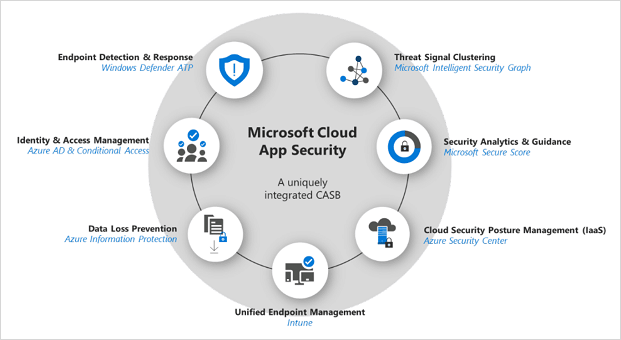
Nowadays (and usually) the biggest challenge in Cybersecurity is not just to protect the organization from outsider threats, but to protect them from themselves. Internal threats can come in many shapes and sizes, from bypassing internal protection elements for browsing prohibited content, to deliberately sabotaging systems and leaking data.