

Stay Cyber-Safe While Traveling!
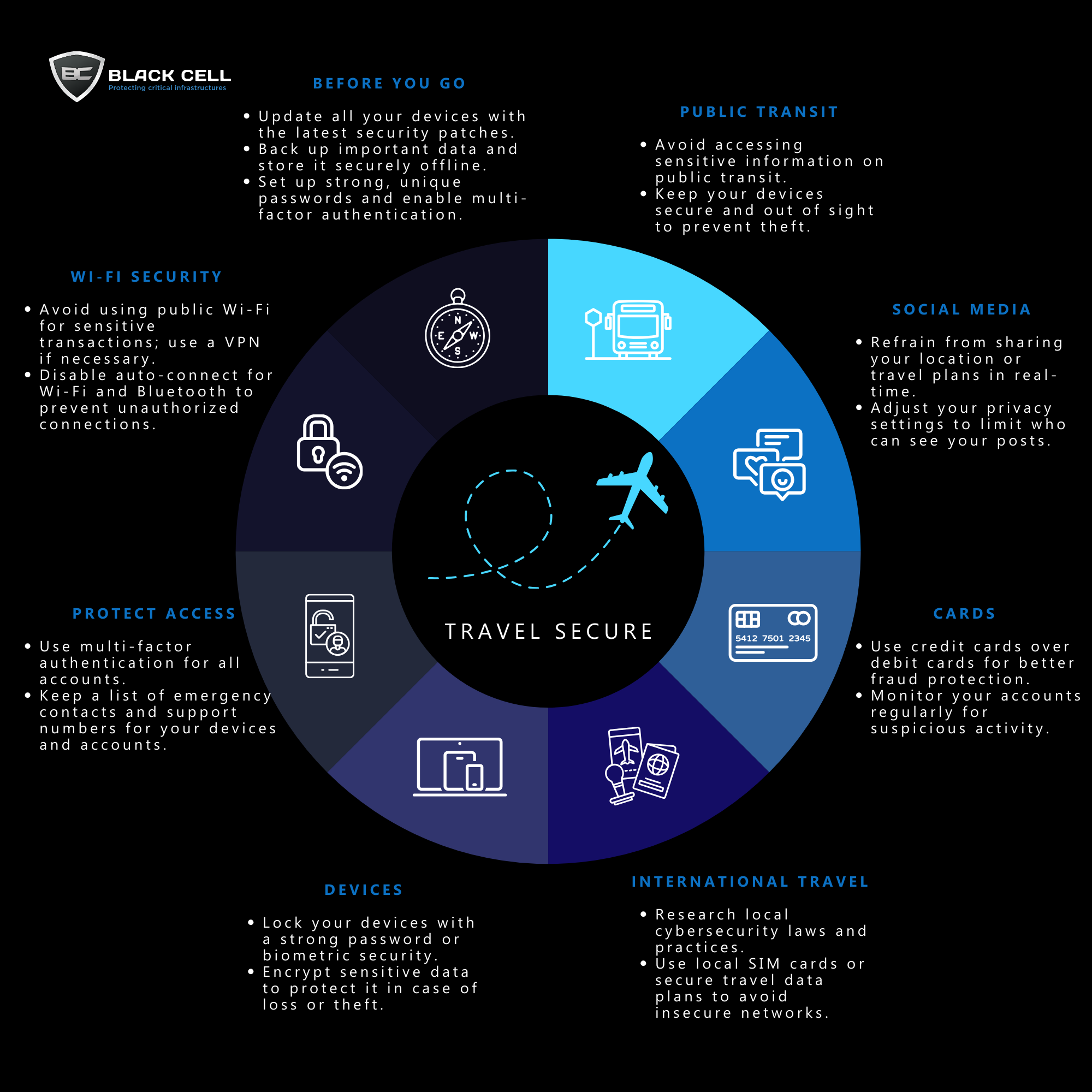
Your cybersecurity shouldn’t take a vacation when you do. Check out our latest infographic to protect your data on the go:
- Before You Go: Update your devices and back up important data.
- Public Transit: Keep your devices secure and avoid accessing sensitive info.
- Cards: Use credit cards for better fraud protection and monitor your accounts.
- Devices: Lock your devices and encrypt sensitive data.
- Wi-Fi Security: Use a VPN on public Wi-Fi and disable auto-connect for Wi-Fi/Bluetooth.
- Social Media: Avoid sharing your travel plans in real-time and adjust privacy settings.
- International Travel: Research local cybersecurity laws and use secure data plans.
- Protect Access: Enable multi-factor authentication for all accounts.
Keep your digital life secure, no matter where you are!
Beginners Guide to Scripting with the MDATP API
Microsoft Defender Advanced Threat Protection is an enterprise endpoint security platform designed to help organizations to prevent, detect, investigate, and respond to advanced threats. The platform offers API endpoints through which you can manage most aspects of your MDAPT instance. In this post we will be taking a look at a simple example of how we can utilize the MDATP API in a script.
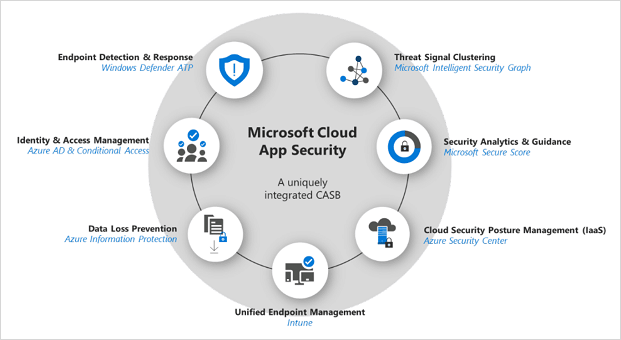
Protecting data under Azure, with MCAS+AIP integration
Nowadays (and usually) the biggest challenge in Cybersecurity is not just to protect the organization from outsider threats, but to protect them from themselves. Internal threats can come in many shapes and sizes, from bypassing internal protection elements for browsing prohibited content, to deliberately sabotaging systems and leaking data.